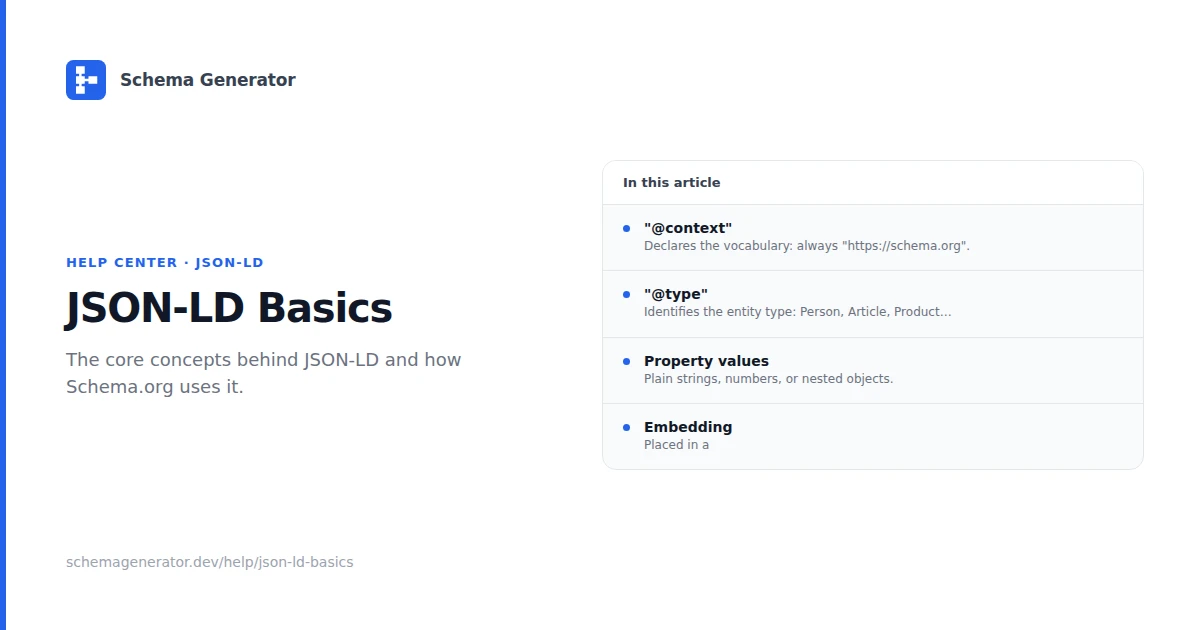
Understanding JSON-LD Format
JSON-LD (JavaScript Object Notation for Linked Data) is the recommended format for implementing structured data on websites. This guide covers JSON-LD basics, implementation patterns, and validation steps for structured data work.
What is JSON-LD?
JSON-LD is a lightweight linked data format that's easy to read and write. It's based on JSON (JavaScript Object Notation) and provides a way to encode linked data using a familiar syntax.
Key Characteristics
- Human-readable format that's easy to understand
- Machine-processable for search engines and applications
- Self-contained with all data in one place
- Flexible and extensible for various use cases
Why JSON-LD is Preferred
Google's Recommendation
Google officially recommends JSON-LD for structured data because:
- Easy to implement without modifying HTML structure
- Less error-prone than microdata or RDFa
- Maintainable and easy to update
- Performance-friendly with minimal impact on page load
Technical Advantages
- Clean separation of content and structured data
- No HTML modification required
- Valid JSON syntax prevents parsing errors
- Future-proof format that's widely supported
JSON-LD Structure
Basic Components
Every JSON-LD document contains these essential elements:
{
  "@context": "https://schema.org",
  "@type": "Organization",
  "name": "Your Company",
  "url": "https://yourwebsite.com"
}
Required Elements
- @context: Defines the vocabulary (usually Schema.org)
- @type: Specifies the type of entity being described
- Properties: Additional data about the entity
Common Schema Types
Organization Schema
Perfect for businesses and companies:
{
  "@context": "https://schema.org",
  "@type": "Organization",
  "name": "Your Company",
  "url": "https://yourwebsite.com",
  "logo": "https://yourwebsite.com/logo.png",
  "contactPoint": {
    "@type": "ContactPoint",
    "telephone": "+1-555-123-4567",
    "contactType": "customer service"
  }
}
Person Schema
Ideal for individual profiles:
{
  "@context": "https://schema.org",
  "@type": "Person",
  "name": "John Doe",
  "jobTitle": "Software Engineer",
  "worksFor": {
    "@type": "Organization",
    "name": "Tech Company"
  },
  "sameAs": [
    "https://linkedin.com/in/johndoe",
    "https://twitter.com/johndoe"
  ]
}
Article Schema
Great for blog posts and news articles:
{
  "@context": "https://schema.org",
  "@type": "Article",
  "headline": "Your Article Title",
  "author": {
    "@type": "Person",
    "name": "Author Name"
  },
  "publisher": {
    "@type": "Organization",
    "name": "Your Website",
    "logo": {
      "@type": "ImageObject",
      "url": "https://yourwebsite.com/logo.png"
    }
  },
  "datePublished": "2025-04-22",
  "dateModified": "2025-12-20"
}
Implementation Methods
Method 1: In HTML Head
Place JSON-LD in the <head> section:
<head>
  <script type="application/ld+json">
  {
    "@context": "https://schema.org",
    "@type": "Organization",
    "name": "Your Company"
  }
  </script>
</head>
Method 2: External File
Reference an external JSON-LD file:
<script type="application/ld+json" src="/structured-data.json"></script>
Method 3: Dynamic Generation
Generate JSON-LD dynamically with JavaScript:
const structuredData = {
  "@context": "https://schema.org",
  "@type": "Product",
  "name": productName,
  "price": productPrice
};

const script = document.createElement('script');
script.type = 'application/ld+json';
script.text = JSON.stringify(structuredData);
document.head.appendChild(script);
Advanced Techniques
Nested Objects
Create complex relationships with nested schemas:
{
  "@context": "https://schema.org",
  "@type": "Recipe",
  "name": "Chocolate Cake",
  "author": {
    "@type": "Person",
    "name": "Chef Smith"
  },
  "recipeIngredient": [
    "2 cups flour",
    "1 cup sugar",
    "3 eggs"
  ],
  "recipeInstructions": [
    {
      "@type": "HowToStep",
      "text": "Mix dry ingredients"
    },
    {
      "@type": "HowToStep",
      "text": "Add wet ingredients"
    }
  ]
}
Multiple Types
Use multiple schema types on the same page:
[
  {
    "@context": "https://schema.org",
    "@type": "Organization",
    "name": "Your Company"
  },
  {
    "@context": "https://schema.org",
    "@type": "WebSite",
    "name": "Your Website",
    "url": "https://yourwebsite.com"
  }
]
Arrays and Lists
Handle multiple items with arrays:
{
  "@context": "https://schema.org",
  "@type": "ItemList",
  "name": "Product Categories",
  "itemListElement": [
    {
      "@type": "ListItem",
      "position": 1,
      "name": "Electronics"
    },
    {
      "@type": "ListItem",
      "position": 2,
      "name": "Clothing"
    }
  ]
}
Validation and Testing
Google Rich Results Test
Use Google's official testing tool:
- Visit Rich Results Test
- Enter your URL or paste JSON-LD code
- Check for errors and warnings
- Preview how your data appears in search
Schema.org Validator
Validate your JSON-LD syntax:
- Visit Schema.org Validator
- Paste your JSON-LD code
- Review validation results
- Fix any syntax errors
Browser Developer Tools
Debug JSON-LD in browser:
// Check if JSON-LD is loaded
console.log(document.querySelector('script[type="application/ld+json"]'));

// Validate JSON syntax
try {
  JSON.parse(jsonLdString);
  console.log('Valid JSON');
} catch (e) {
  console.log('Invalid JSON:', e.message);
}
Common Mistakes to Avoid
Syntax Errors
- Missing commas between properties
- Unclosed brackets or braces
- Invalid JSON structure
- Incorrect data types
Implementation Issues
- Wrong placement in HTML
- Missing @context declaration
- Invalid @type values
- Incomplete required properties
Content Mismatches
- Schema doesn't match actual content
- Outdated information in structured data
- Inconsistent data across pages
- Missing required fields
Best Practices
Clean Code
- Proper indentation for readability
- Consistent formatting across all schemas
- Comments for complex implementations
- Modular approach for large sites
Performance
- Minimize file size by removing unnecessary data
- Cache JSON-LD files when possible
- Lazy load non-critical structured data
- Monitor page speed impact
Maintenance
- Regular audits of structured data
- Update information when content changes
- Version control for schema changes
- Documentation of custom implementations
Tools and Resources
Development Tools
- JSON-LD Playground for testing
- Schema.org Generator tools
- Browser extensions for validation
- IDE plugins for syntax highlighting
Documentation
- Schema.org official documentation
- Google Search Central guidelines
- JSON-LD specification details
- Community forums and resources
Next Steps
Ready to implement JSON-LD on your website?
- Choose your schema types based on your content
- Use our generator to create valid JSON-LD
- Test thoroughly with validation tools
- Monitor performance in Search Console
Start creating your JSON-LD structured data with our Schema Generator today!